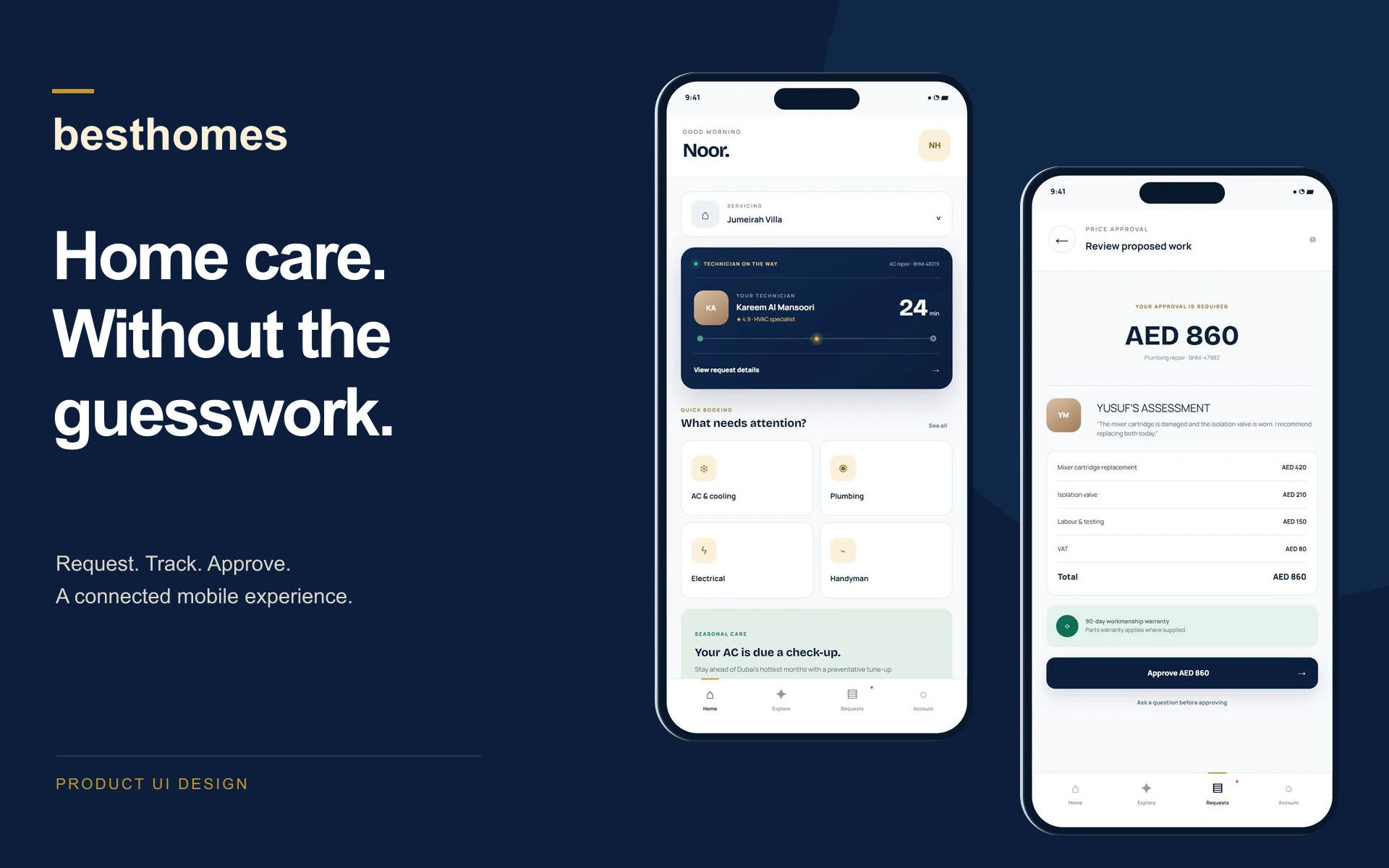
Home care, with a clearer next step.
Besthomes brings maintenance and renovation services into one connected experience for households in the UAE. I designed the product interfaces around a simple question: what does each person need to know or do next? Customers need an easy way to ask for help and understand the visit. Technicians need the right context on site. Operations needs a clear record of the work. The mobile experience sits at the centre, supported by a public website and an operations workspace.
Your home, in your hand.
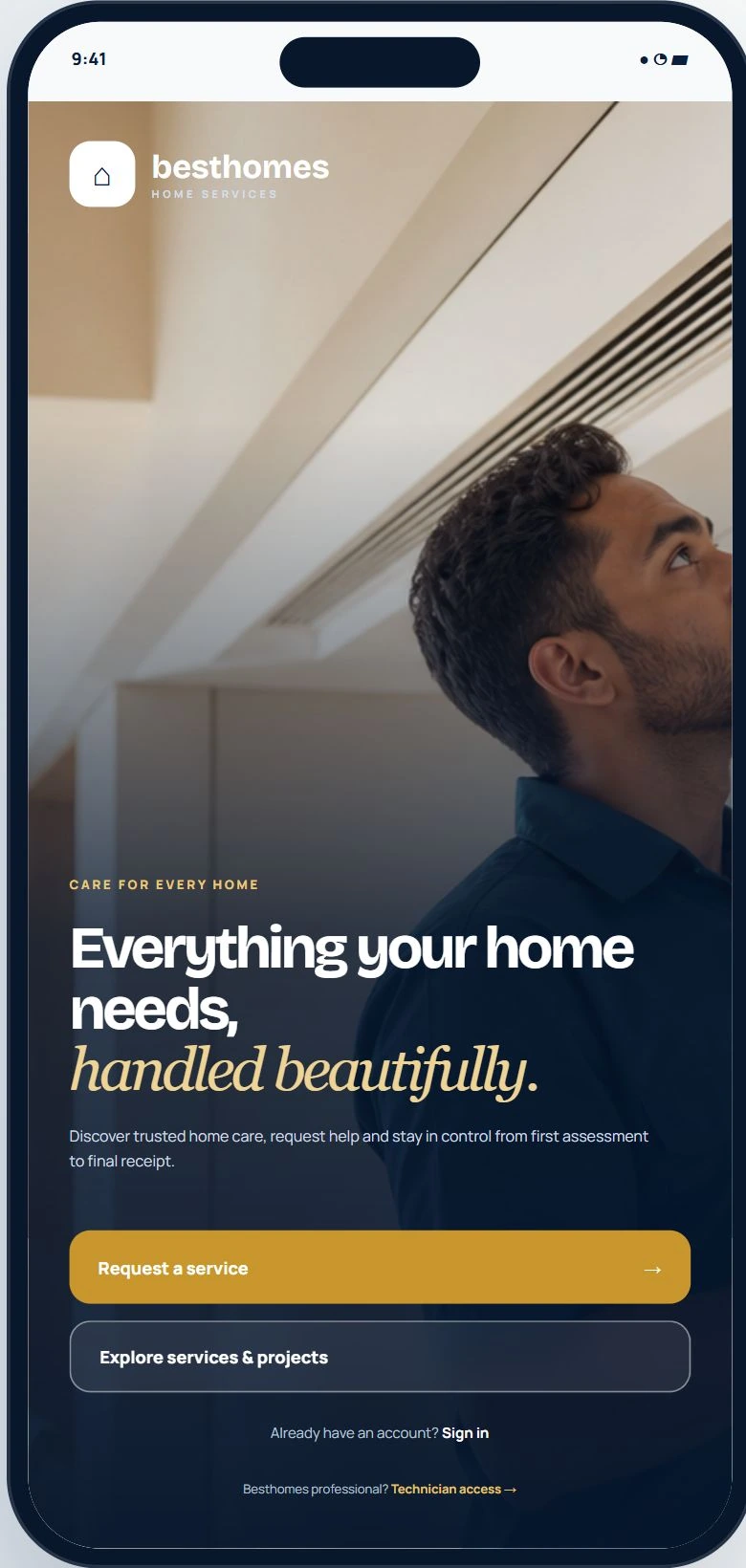
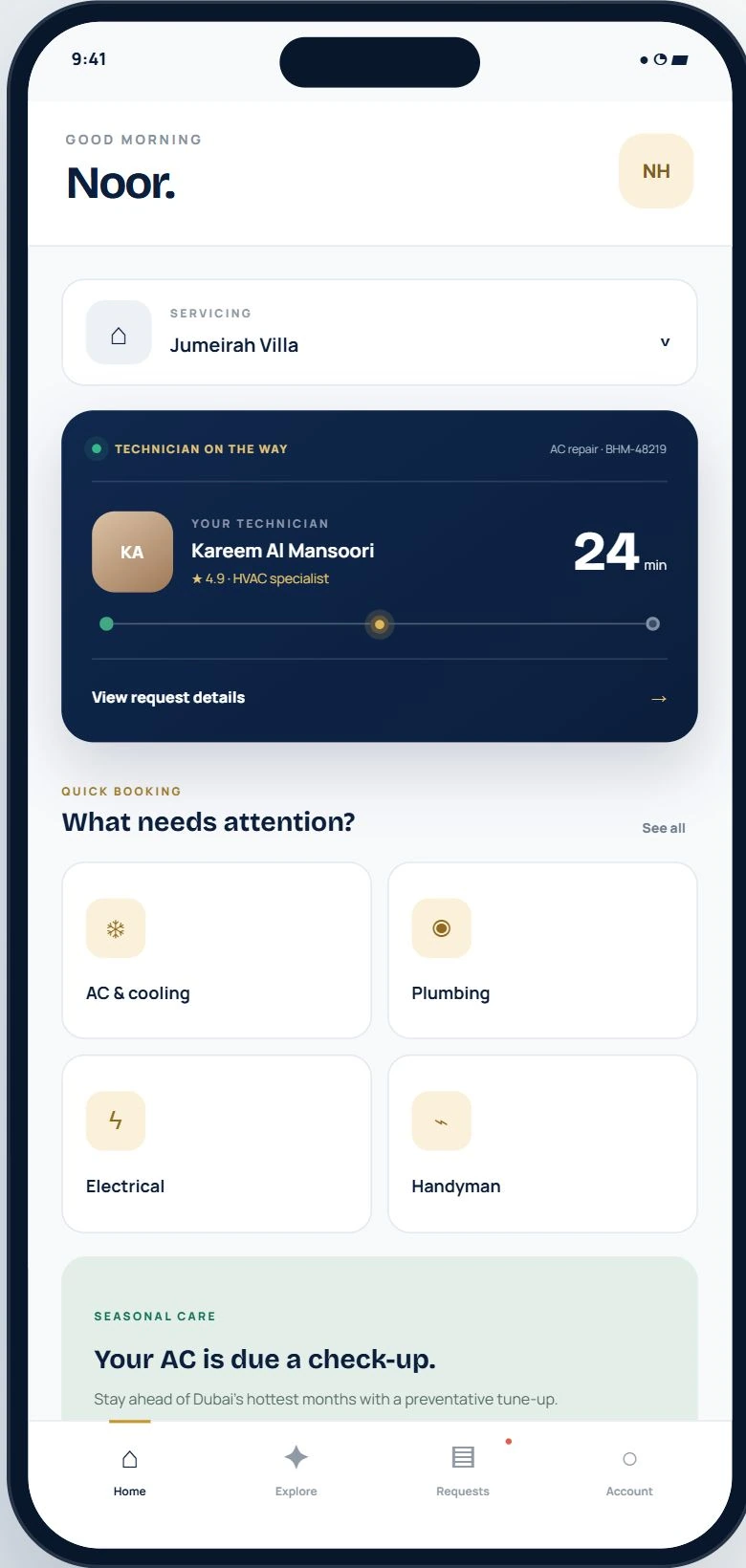
The mobile entry pairs reassuring home-care imagery with a direct Request a service action. Customers can begin as guests, with account access available when they need it. The customer home then brings the current property, the next visit and everyday service categories together. Technician information and the arrival estimate take priority over promotional content, keeping the most immediate task in view.
Ask for help. Keep the form manageable.
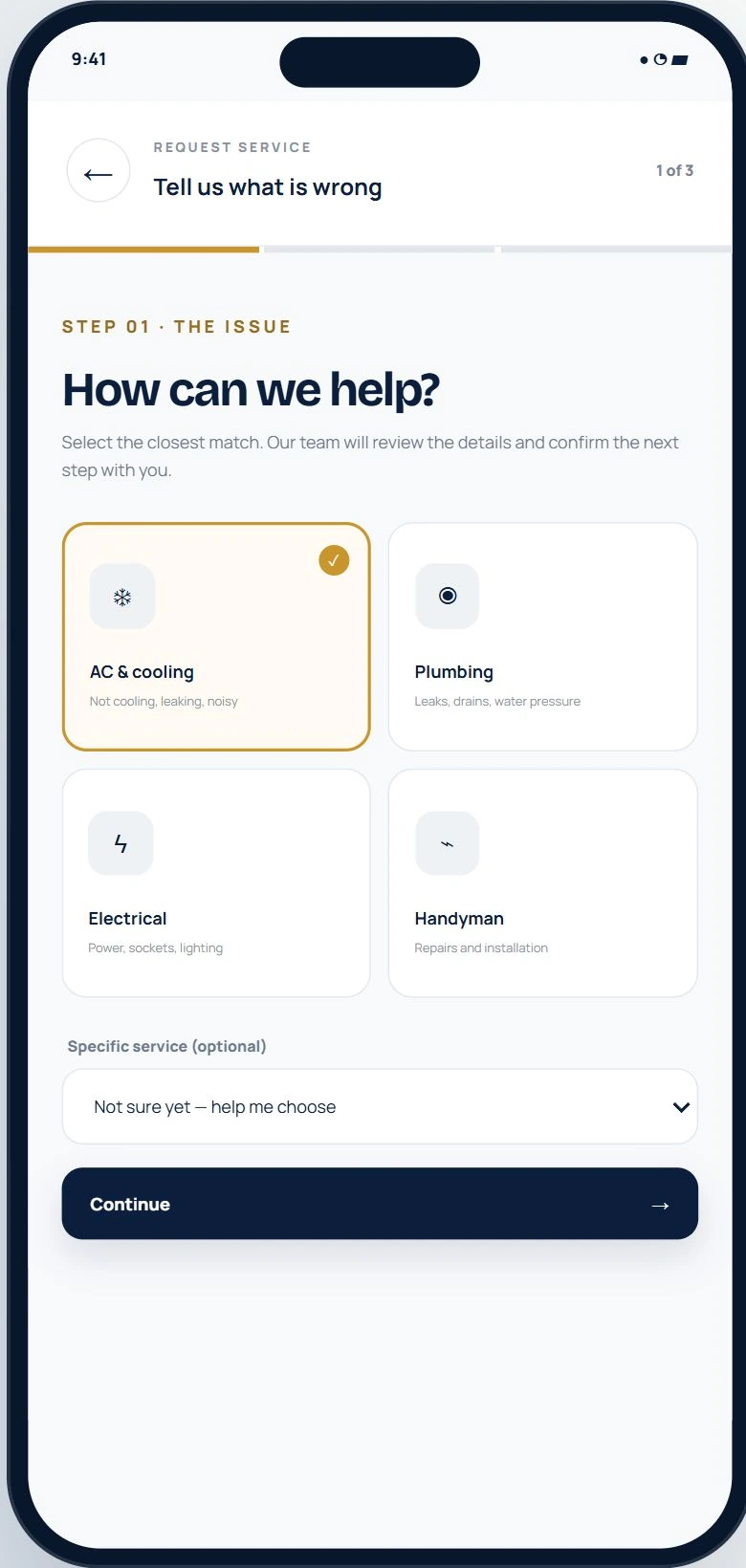
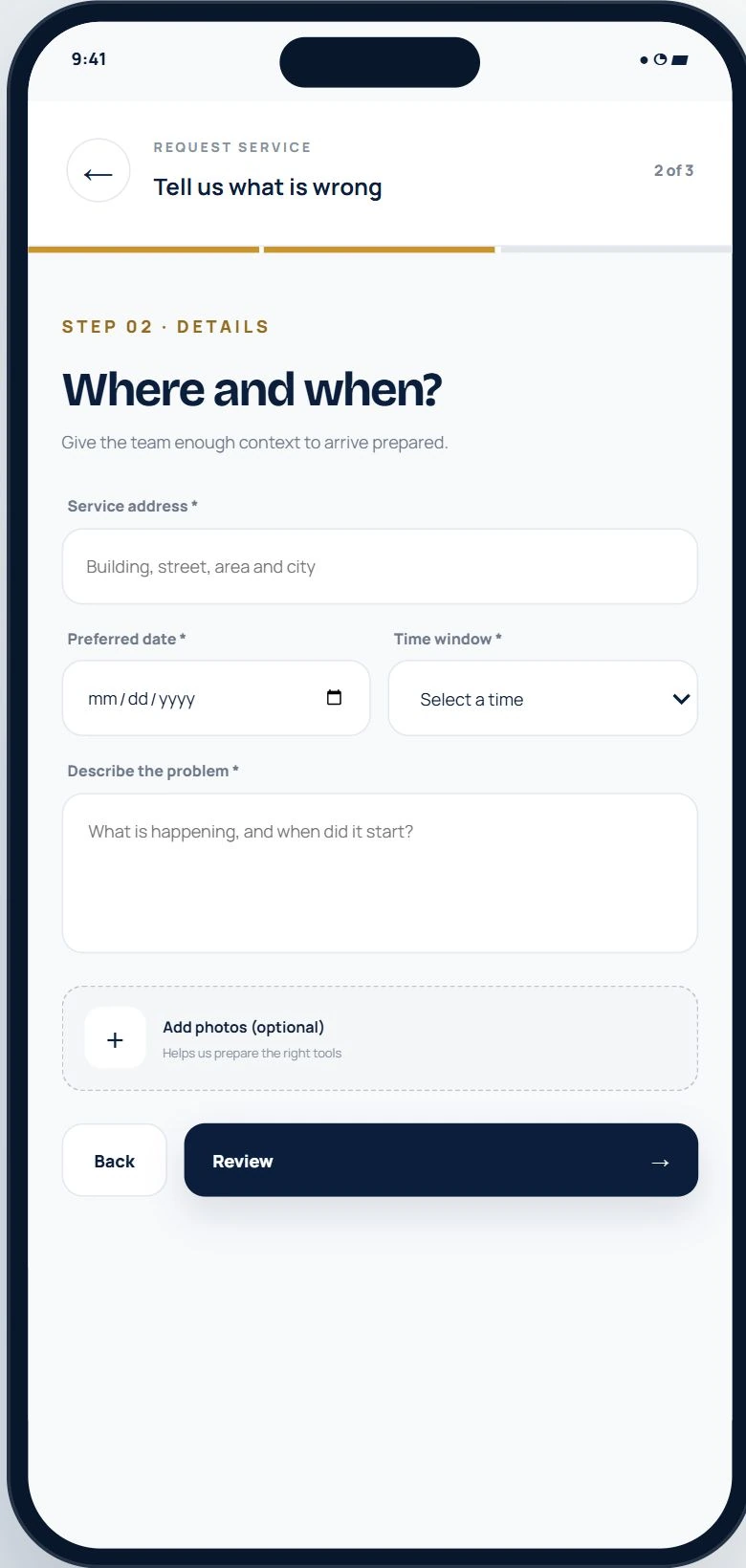
The request flow separates the service category from the practical visit details. Customers first choose the closest match, with an option to ask for guidance rather than diagnose the fault themselves. Address, preferred date and time, a short description and optional photos follow in a focused second step. A progress indicator and a clear primary action give the form a predictable rhythm. The request starts a conversation with the team; it does not ask for payment upfront.
Know where the visit stands. Know what you approve.
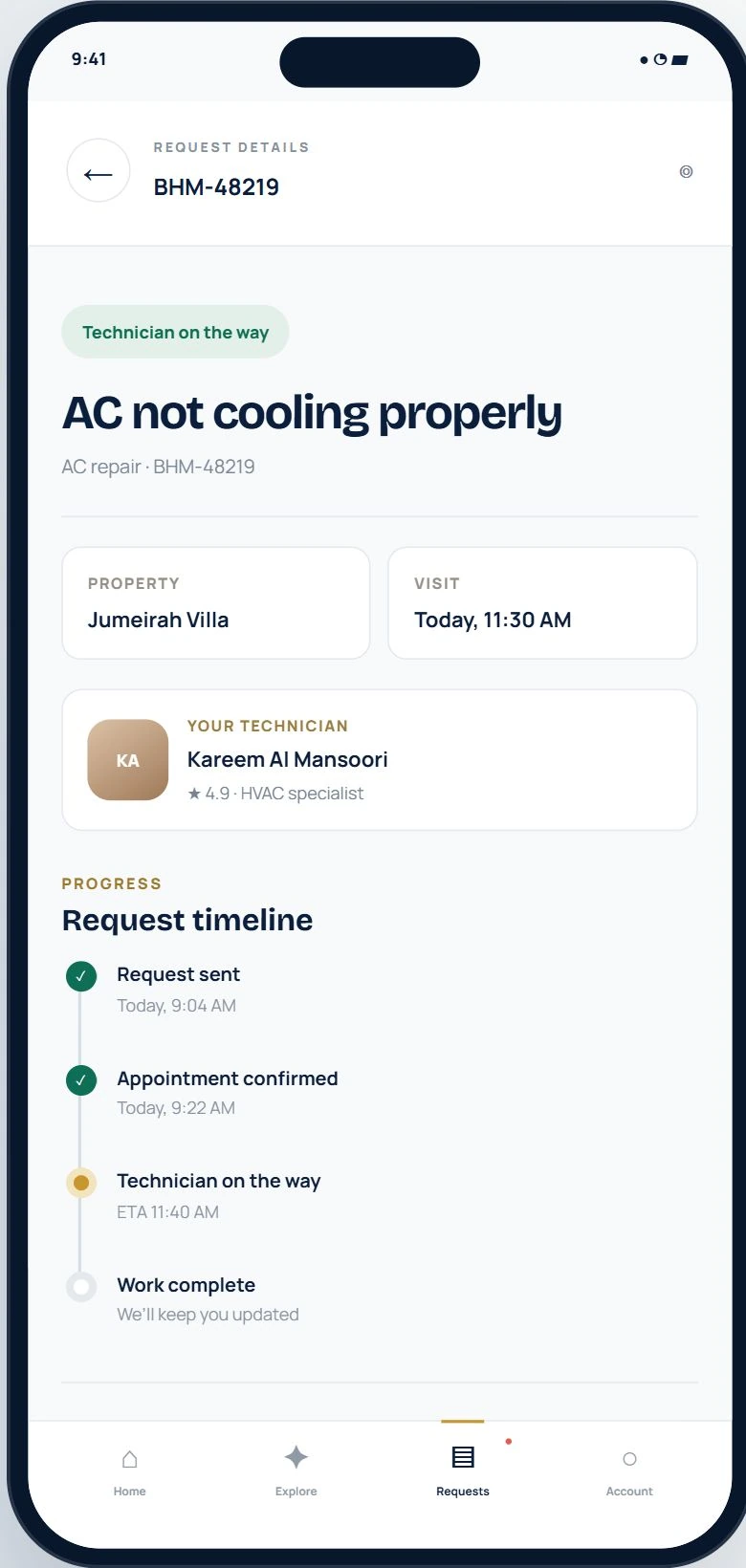
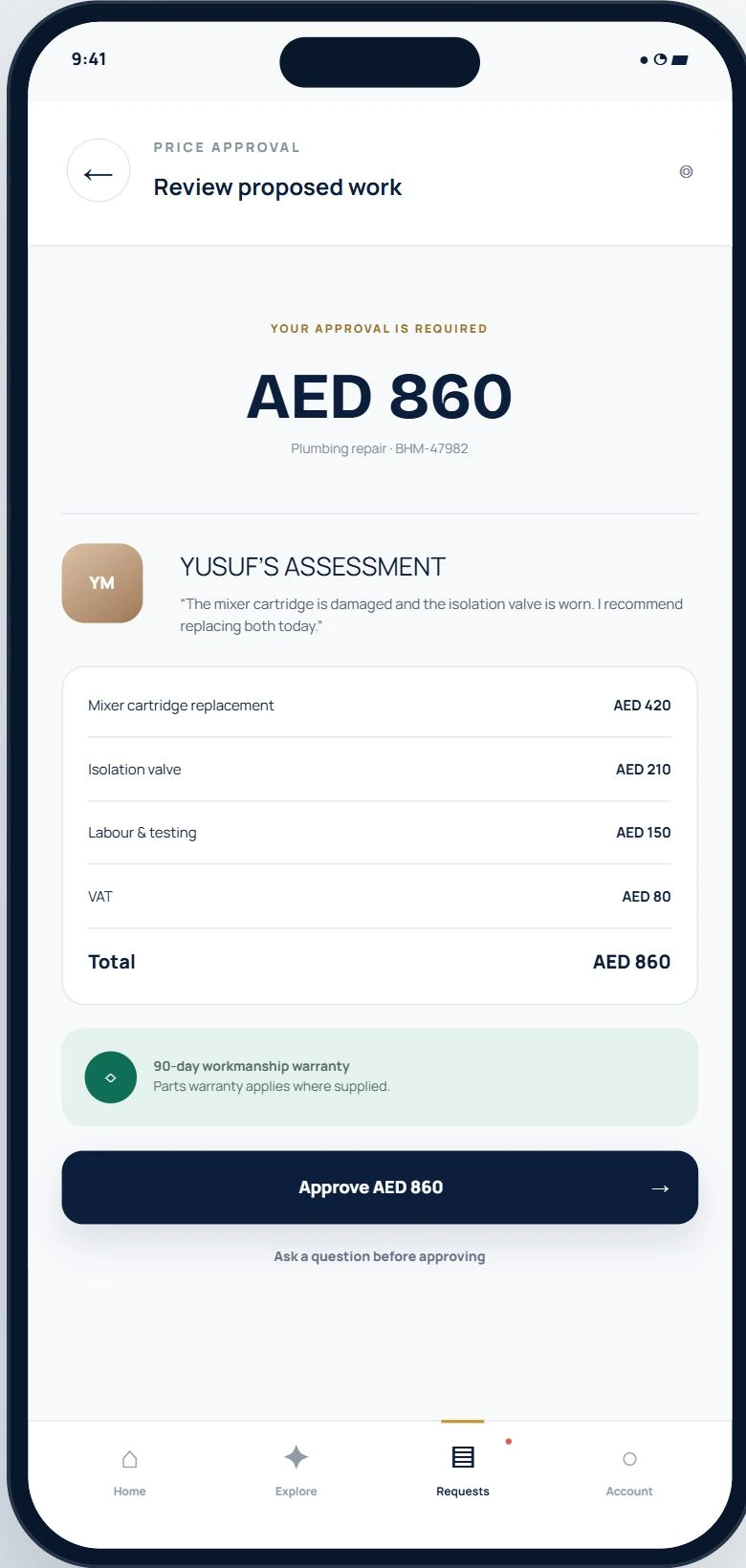
A request detail screen keeps the reference, property, appointment and assigned technician together. The timeline translates service progress into a sequence customers can follow. When additional work is recommended, the approval screen presents the assessment alongside itemised costs and warranty information. Approve AED 860 states the decision clearly, while a question action leaves room for clarification. Customer approval is a distinct step before work begins.
The other side of the same visit.
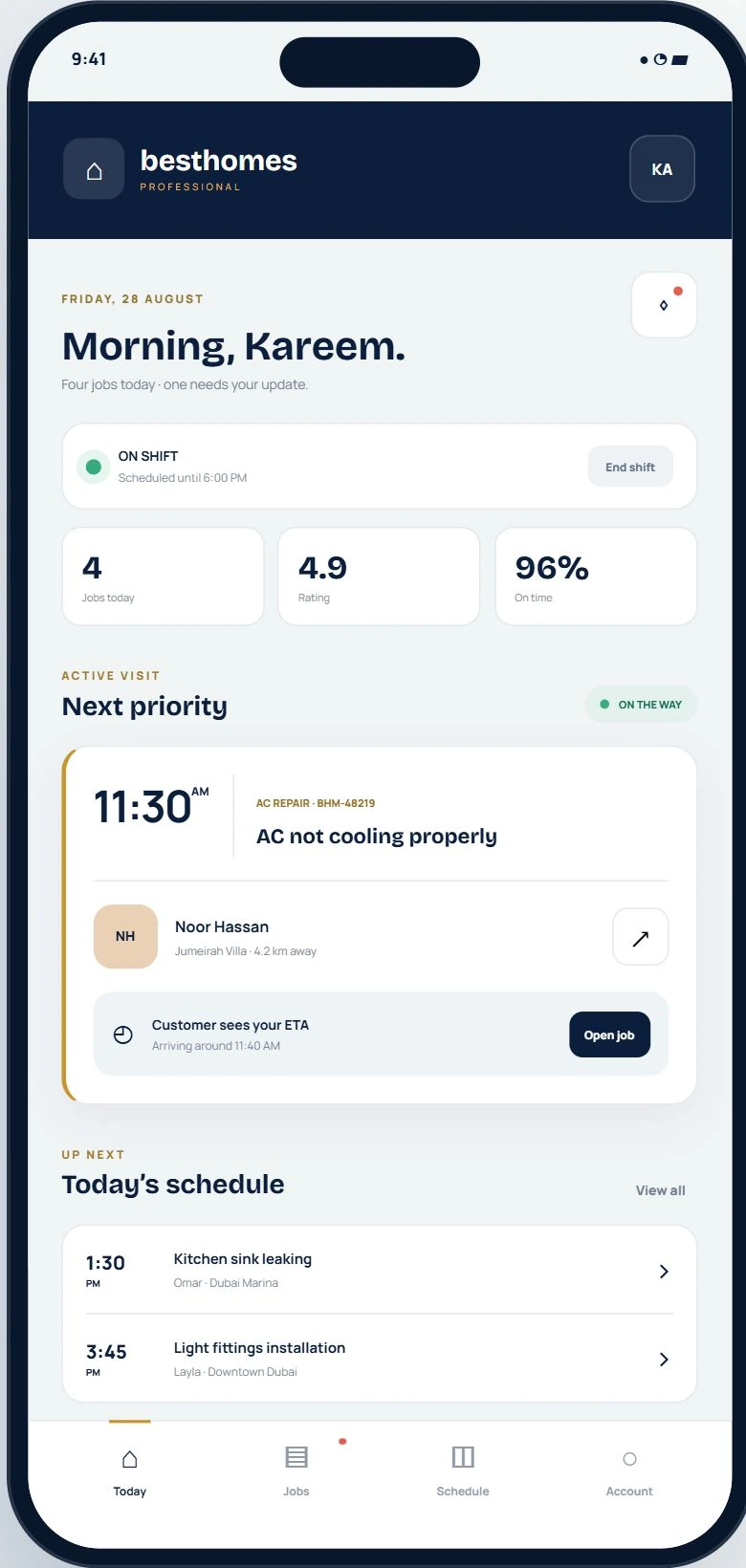
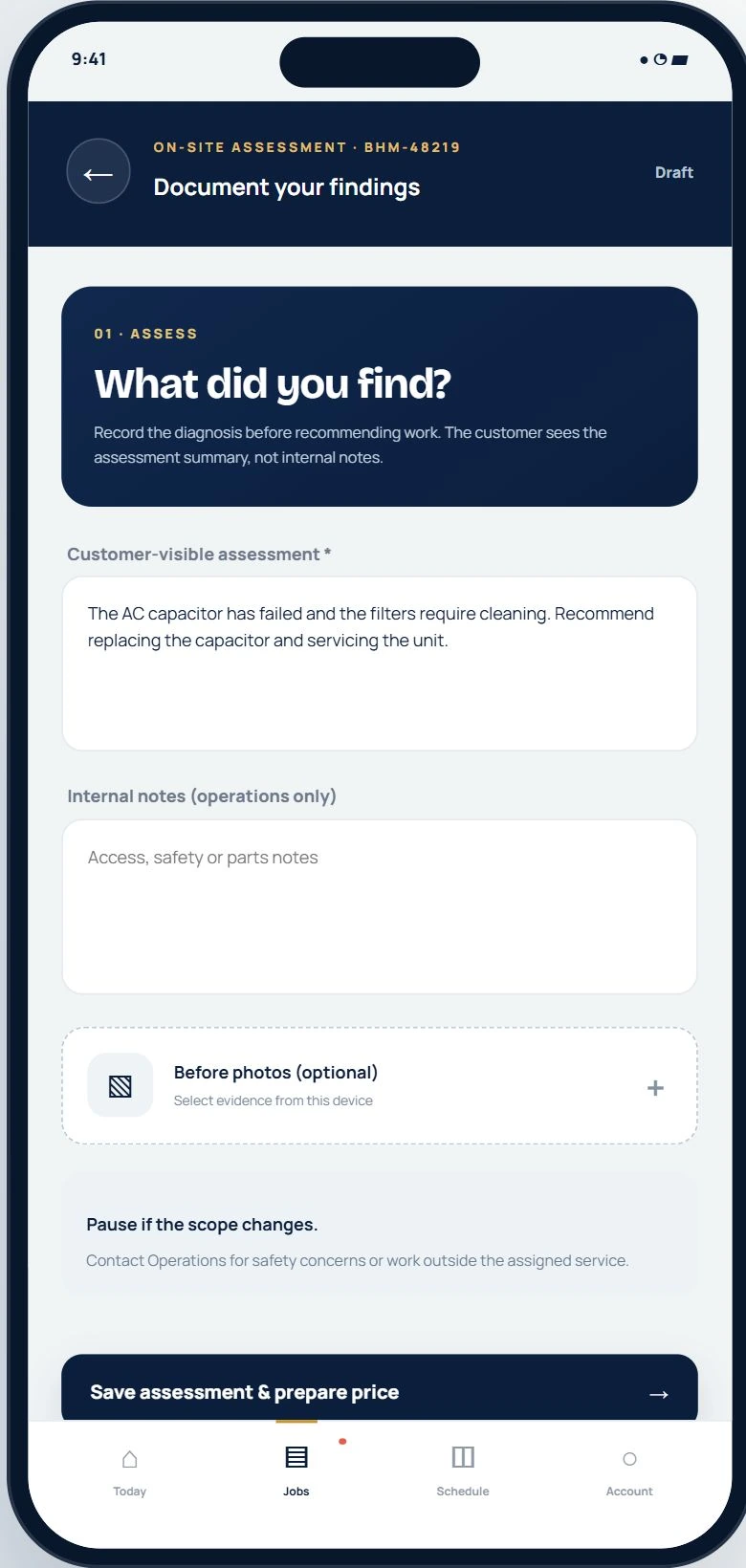
Besthomes Pro gives technicians a mobile workspace built around the working day. Shift status, the priority visit and the next appointments establish what needs attention. On site, the assessment form separates the customer-visible diagnosis from internal operations notes and photographic evidence. This keeps communication intentional: the customer gets a clear explanation, while the field team retains the detail needed to recommend and complete the work.
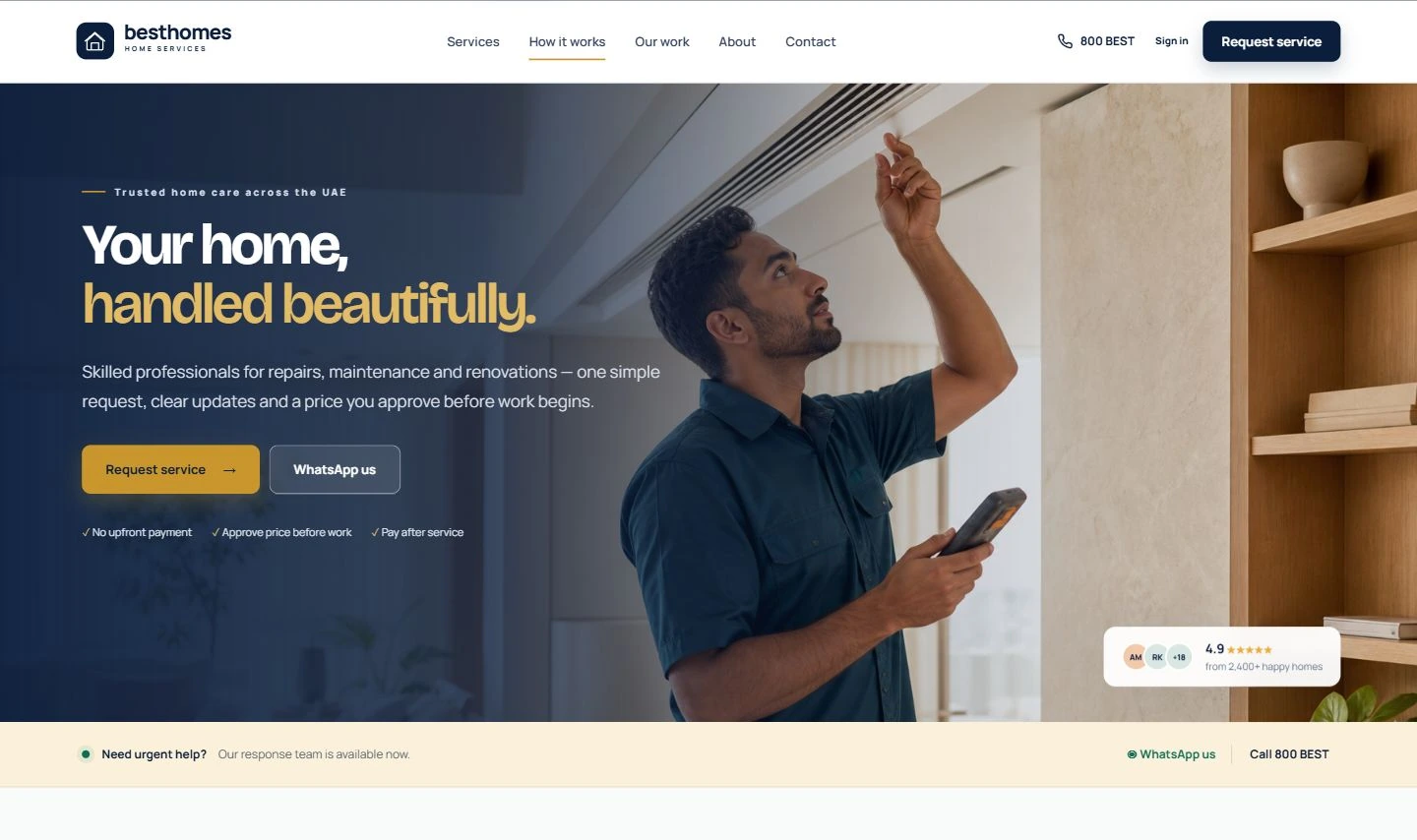
A confident first impression on the web.
The public website introduces the same service through a more editorial layout. A strong navy hero, warm photography and a gold request action balance reassurance with a clear route into the product. Navigation keeps services, projects and contact information accessible. The website establishes the brand; the mobile interface carries that confidence into practical service tasks.
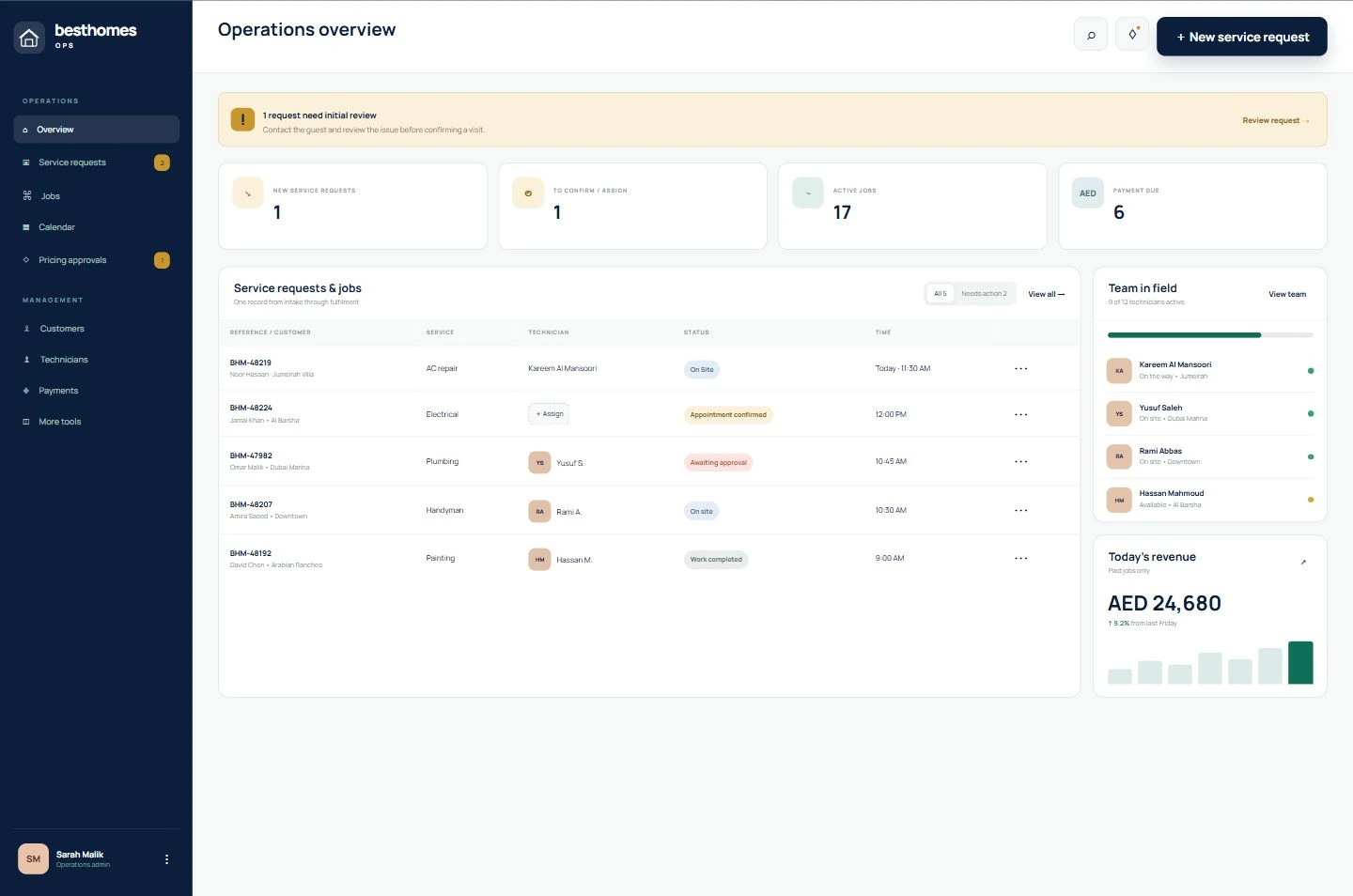
One request. A shared operational picture.
The operations workspace follows a service request from intake through appointment confirmation, assignment, assessment, approval and completion. A shared queue brings customer context, service type, technician and status into one view. Action counts draw attention to items that need review or assignment, while team availability supports the wider day's coordination. The role changes, but the service record remains the connecting thread.
Warm at the surface. Clear in the details.
Deep navy anchors the interface, gold highlights decisions and teal marks progress. Rounded cards, restrained borders and consistent labels carry the visual language across customer, technician and operations screens. The design makes room for a warm brand expression while giving forms, costs and job statuses the precision a service product needs.